
Every Shift.
Made Simpler.
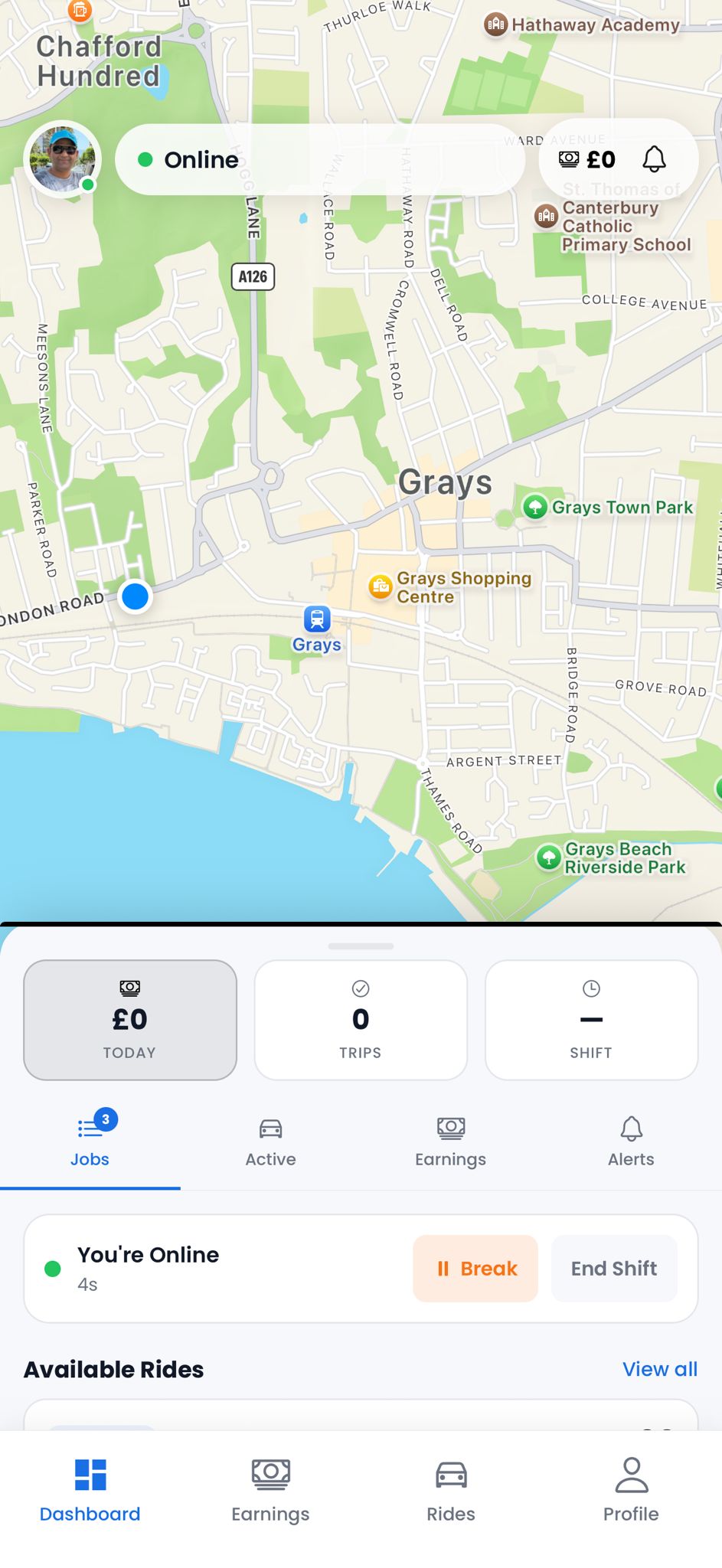
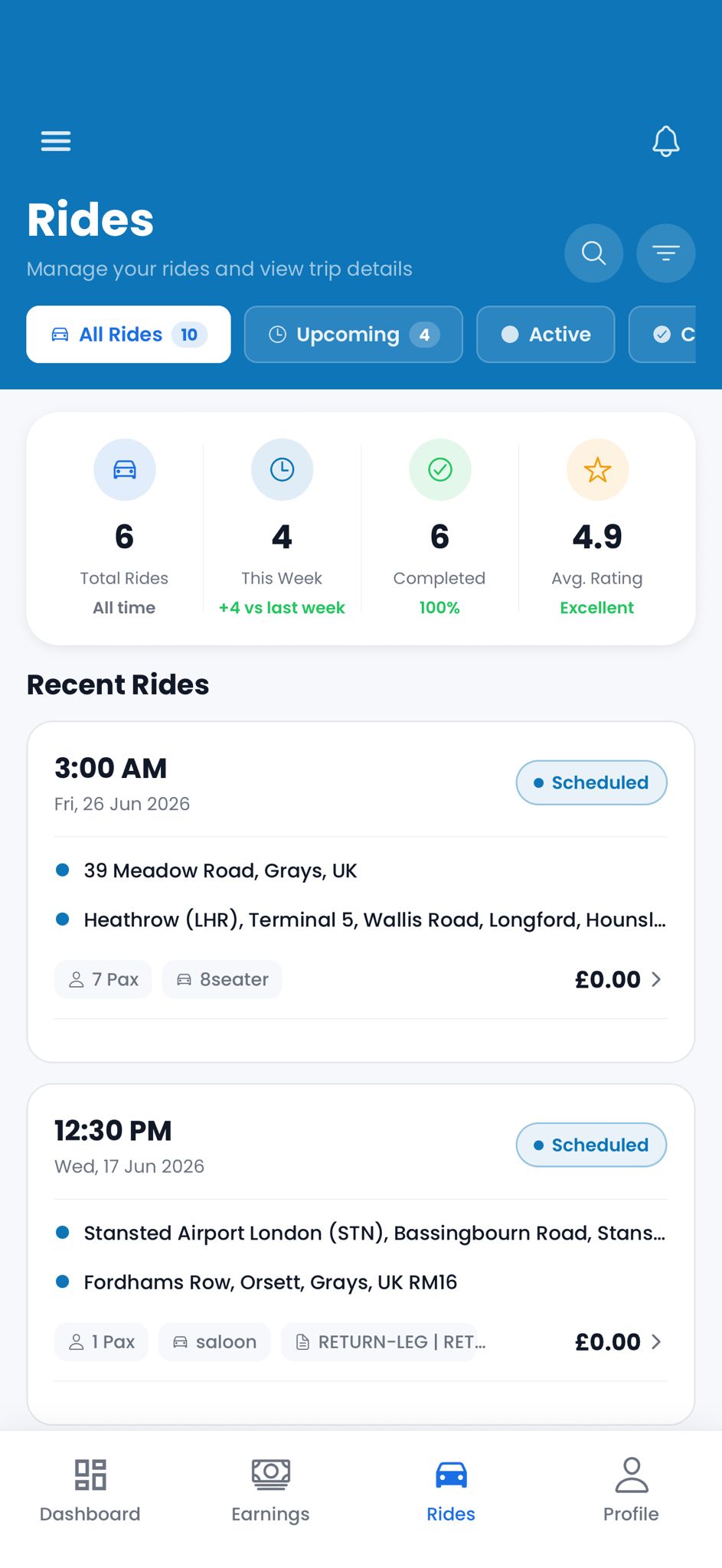
The Cabio driver app gives your drivers everything they need to run their shift — live job feed, one-tap navigation, status updates, shift controls, and real-time earnings. All in one clean interface.


Every Screen Counts
Built for Drivers. Not Desks.
Dashboard & Map
Rides List
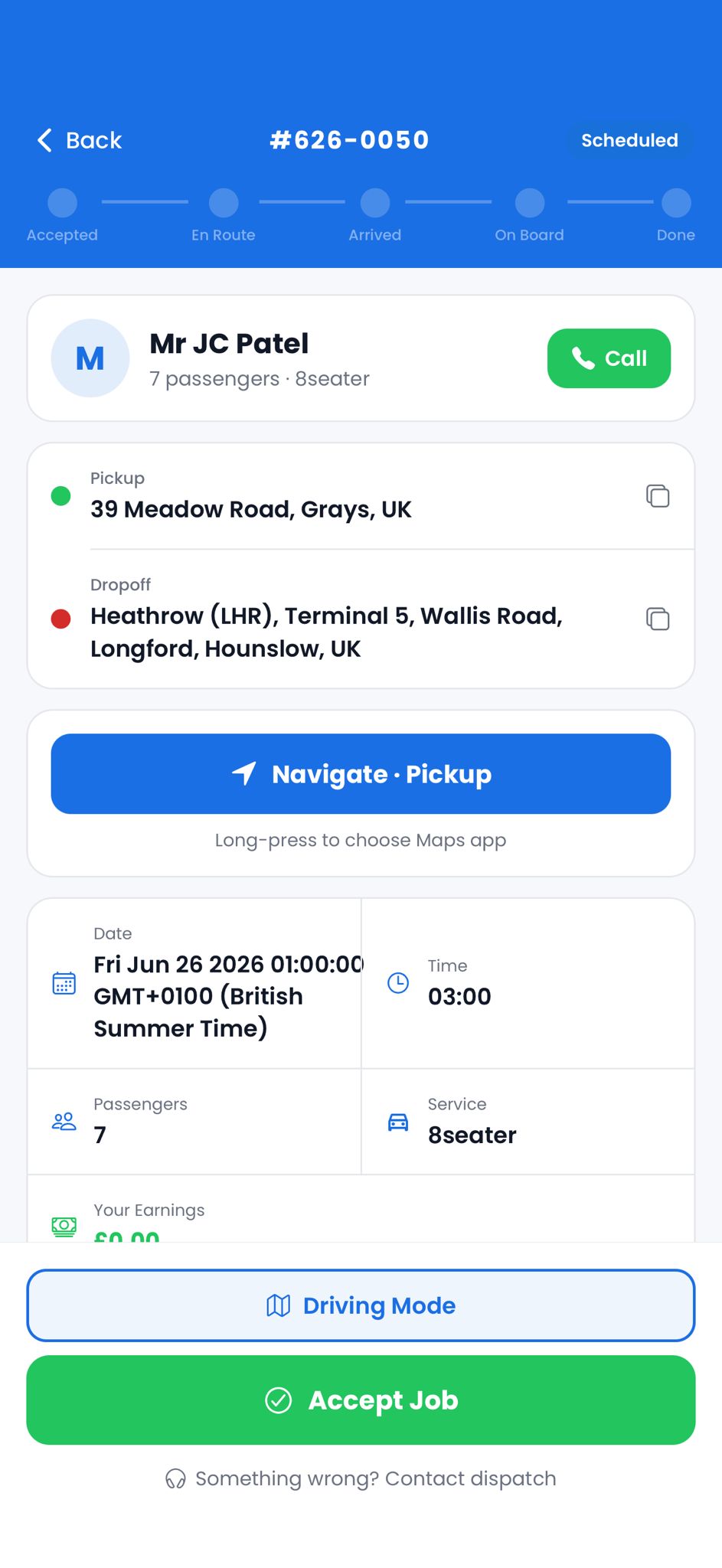
Job Detail
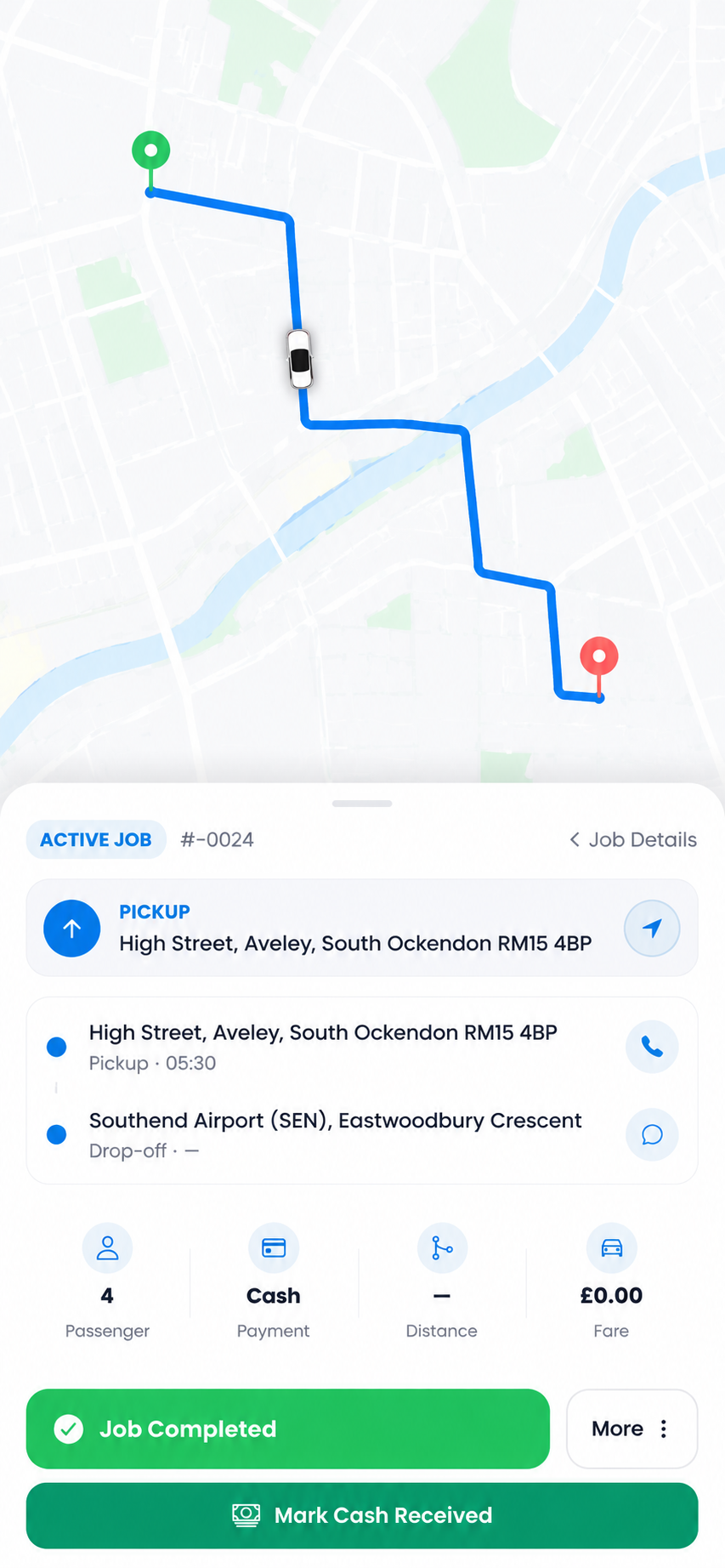
Active Job
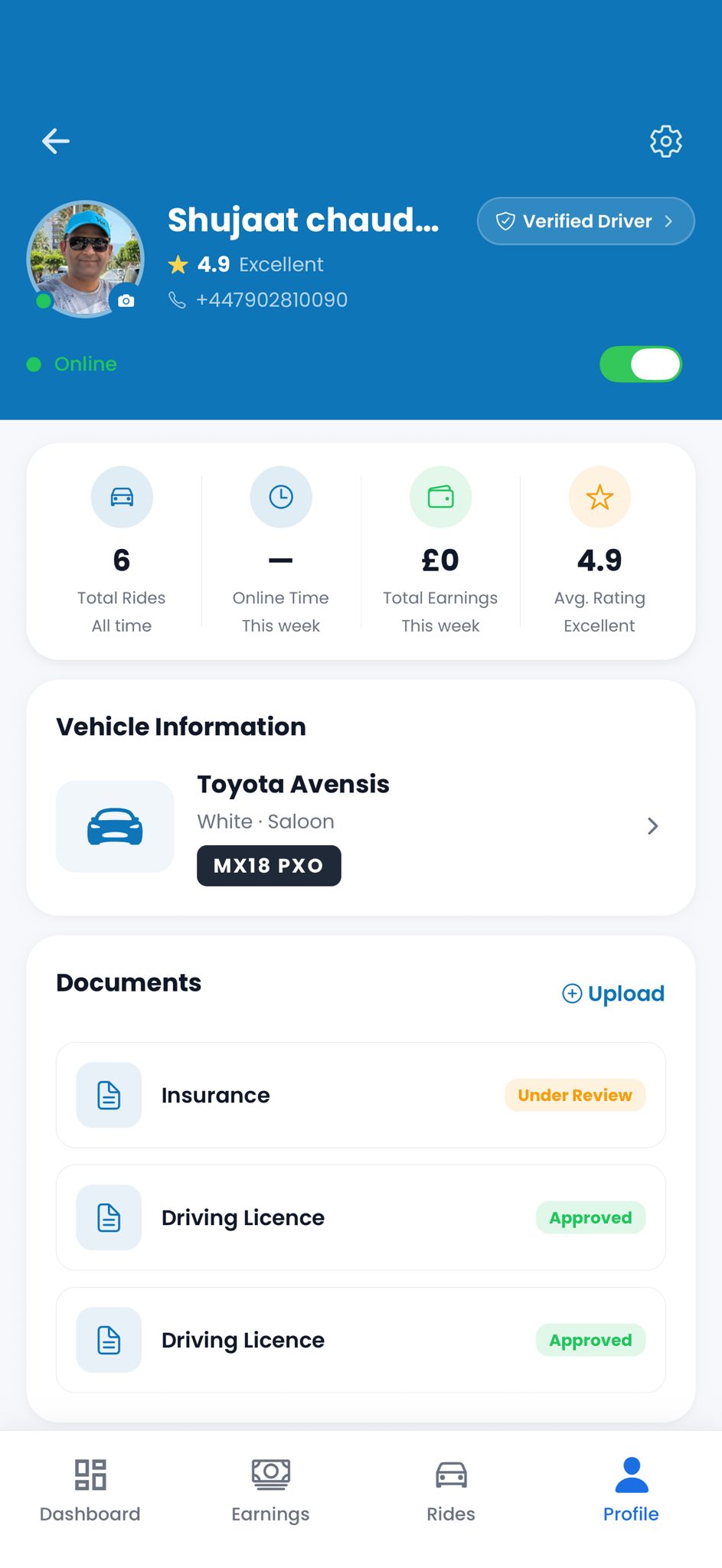
Driver Profile
Job Flow
From Notification to Done.
Job appears on dashboard
New ride shows on the Available Rides feed with pickup, drop-off, time, and fare.
View detail & accept
Full job card — passenger name, route, vehicle type, earnings. Accept or decline.
Navigate and pick up
One tap opens navigation to the pickup point. Status updates sync live to dispatch.
Complete — earn
Mark job done, cash confirmed if needed. Earnings update instantly. Back to available.
Driver App Features
Everything a Driver Actually Needs.
Job Notifications
Instant push notifications for new assignments — pickup, drop-off, passenger name, and fare — all upfront.
Built-In Navigation
One tap opens turn-by-turn navigation in Google Maps or Waze directly from the job card.
Job Status Updates
En Route → Arrived → On Board → Done — one tap keeps dispatch informed in real time.
Shift Management
Go online, take a break, or end your shift with one tap. Availability syncs live to the dispatch board.
Earnings Tracker
Today's earnings, trip count, and shift time — updated live as each job completes.
Performance Stats
Average rating, acceptance rate, and completed trips — drivers track their own stats in the app.
Driver Profile
Everything in One Place.
Drivers manage their vehicle, documents, and account directly inside the app — no paperwork, no back-and-forth with office staff.
- Vehicle details and registration plate
- Document uploads — licence, insurance, DBS
- Document approval status in real time
- Verified driver badge on customer app
- Earnings history and per-job breakdown
- Online/offline toggle and shift timer
Live Job Card
Full Detail. One Screen.
Every job arrives as a full-detail card — passenger name, pickup, drop-off, vehicle type, fare, and a progress tracker across five stages. Accept or decline in one tap.
- Passenger name and passenger count
- Full pickup and drop-off addresses
- Vehicle type and fare upfront
- 5-stage progress tracker: Accepted → En Route → Arrived → On Board → Done
- One-tap navigate to pickup
- One-tap Accept Job or contact dispatch
Available Now
Give Your Drivers the Best Tool for the Job.
Book a free demo and see the Cabio driver app in action — live with real dispatch scenarios.