

Operations dashboard
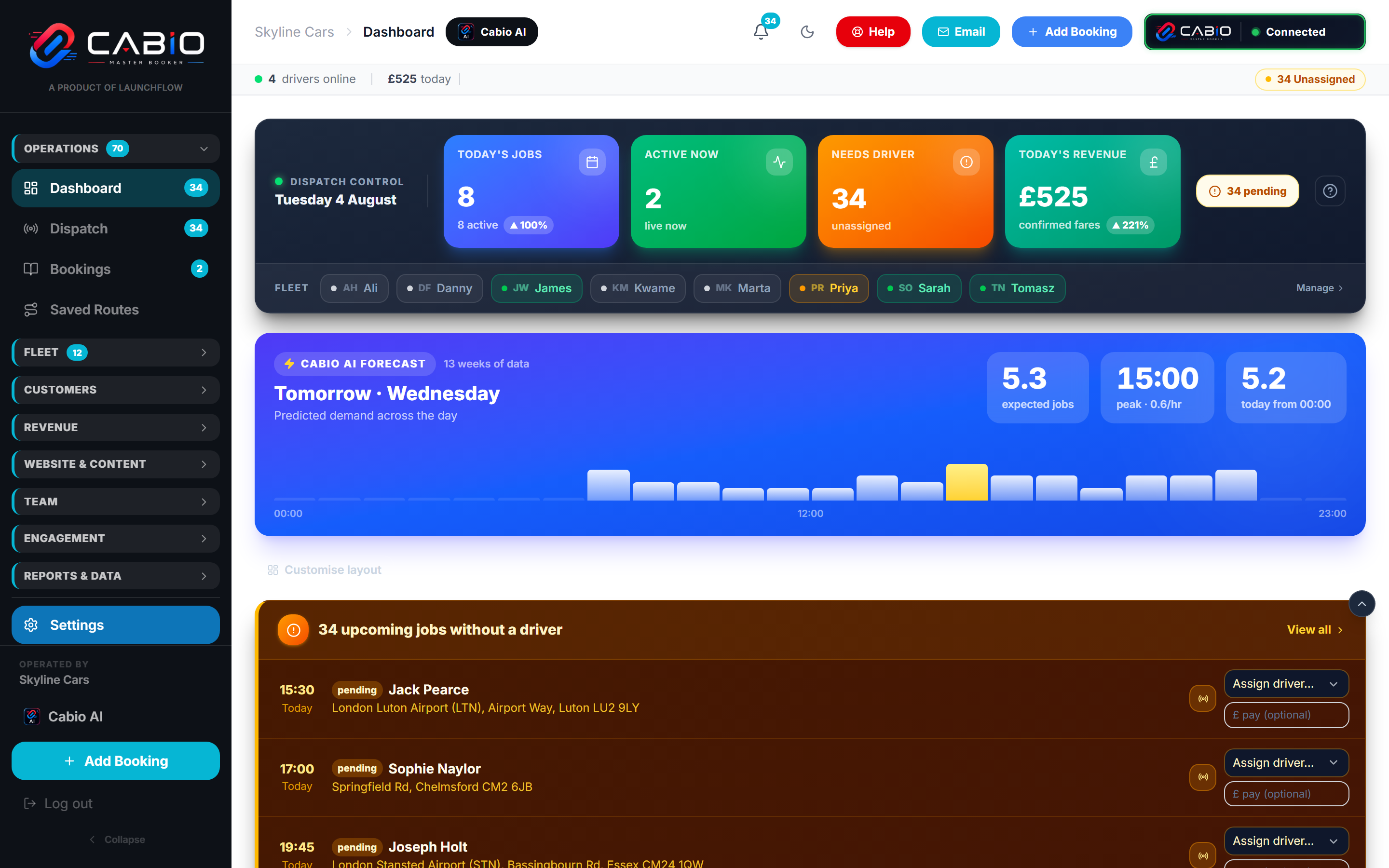
The whole day on one screen
Jobs, revenue, drivers and what needs your attention — live, with tomorrow's demand forecast underneath.
What's on it
Built to answer 'how are we doing right now?'
Live KPI cards
Today's jobs, active now, needs-driver and today's revenue — updating as your team dispatches.
Fleet status strip
Every driver at a glance with live status: available, on a job, on break, offline.
AI demand forecast
Tomorrow's expected jobs and peak hour, predicted from 13 weeks of your own booking data.
Needs attention
Upcoming jobs without a driver, surfaced with one-tap assignment — before they become a problem.
Customisable layout
Show the panels your operation cares about — schedule, revenue, hotspots, activity feed, analytics.
Website analytics
Connect Google Analytics and see your booking site's traffic next to your bookings.
Forecasting
Know tomorrow's rush before it happens
The forecast bar on the dashboard is computed from your own booking history — not industry averages. It shows expected jobs and the predicted peak hour so you can schedule drivers ahead of demand.
- Expected jobs for tomorrow, hour by hour
- Predicted peak window with jobs-per-hour rate
- Recomputed continuously as new bookings land
See it running on your own numbers
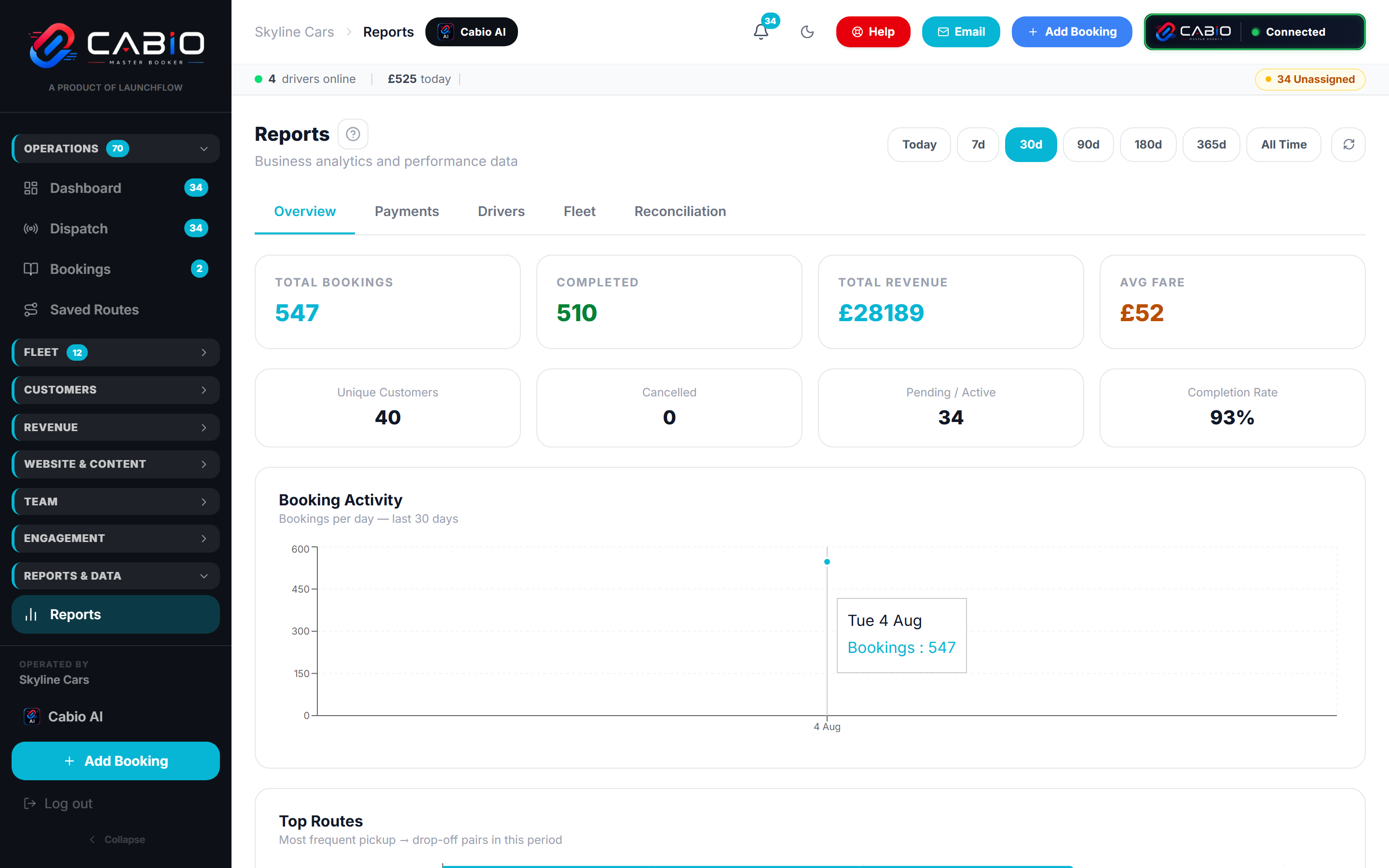
Book a free demo and we'll walk through the platform with your routes, your rates, and your questions — usually within 24 hours.