
Reporting & analytics
Know what the business actually earned
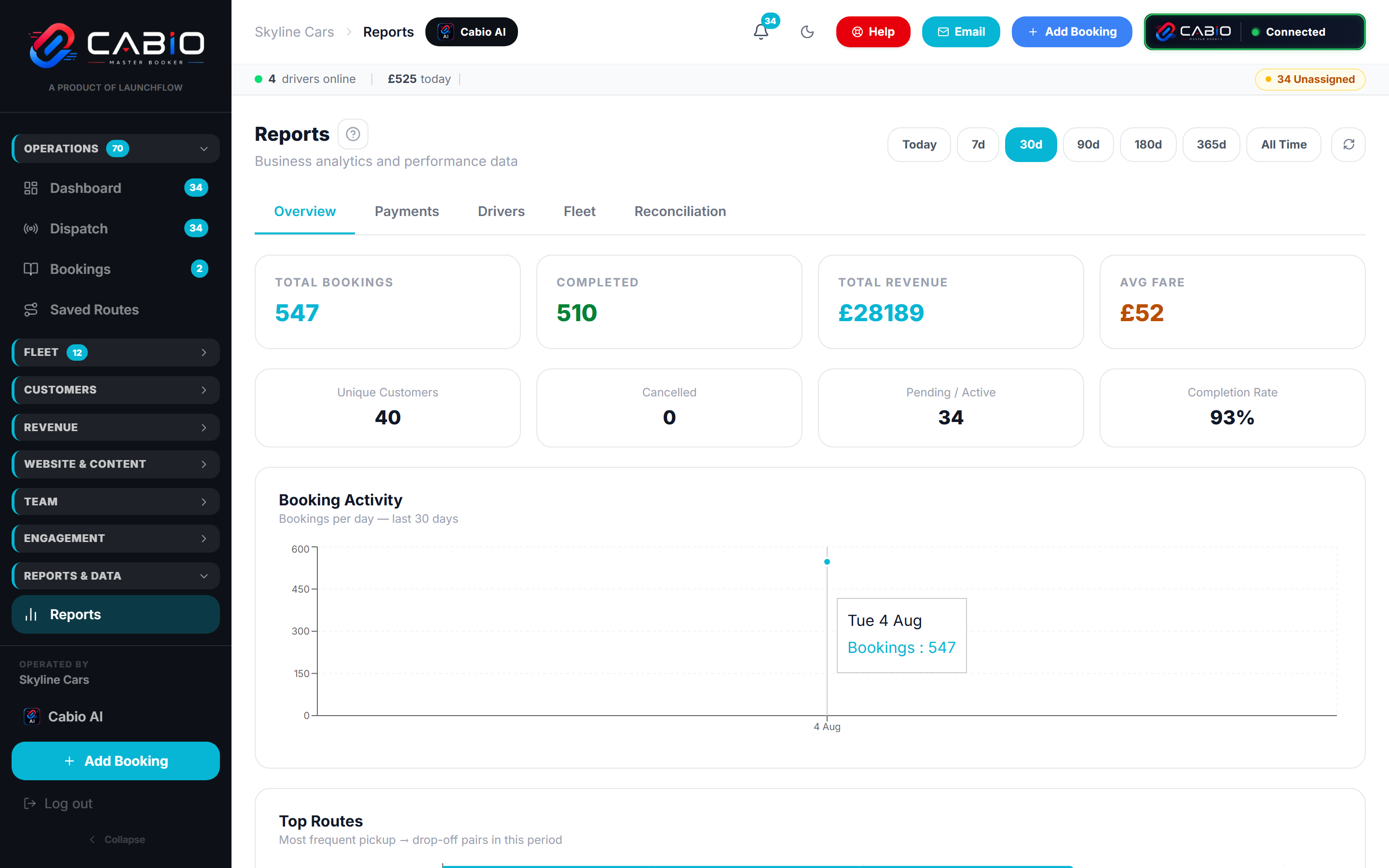
Five report tabs answer the questions that matter: how much, from where, by whom, in what car, and does it all add up.
The reports
Numbers you can hand straight to your accountant
Overview
Bookings, revenue, average fare, completion rate and top routes — over today, 30 days, a year, or all time.
Payments
Revenue by day and by method — card, cash, account — so reconciliation isn't a guessing game.
Drivers
Jobs, earnings and performance per driver — the numbers behind the pay run.
Fleet
Vehicle utilisation: which cars earn and which sit on the rank.
Reconciliation
What was quoted, what was charged, what was collected — matched up.
From report to payout
The same numbers all the way down
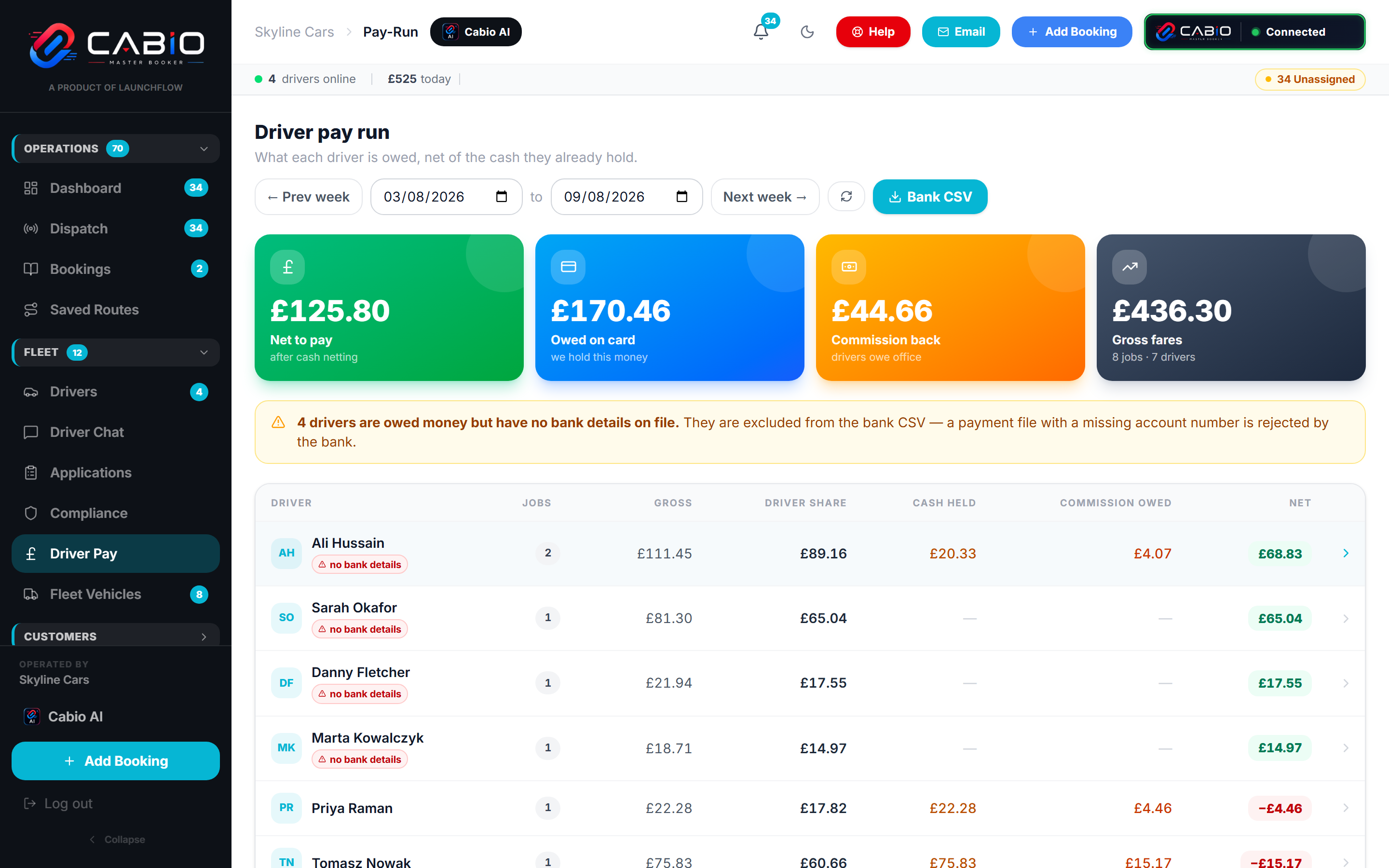
Driver earnings in reports, the weekly pay run, and the PDF statement a driver receives are all computed from the same source. Nothing is retyped, so nothing can disagree.
- Driver report totals match the pay run to the penny
- The pay run feeds the branded PDF earnings statement
- Every headline figure drills down to the jobs behind it
See it running on your own numbers
Book a free demo and we'll walk through the platform with your routes, your rates, and your questions — usually within 24 hours.